Find a Chinese character by its radical
You can't type a character you can't pronounce. With Hanping, you don't have to: tap 部 in the search box, pick the radical you can see, then pick the character. It's free, it works offline, and it's in both Hanping Chinese and Hanping Cantonese, on iPhone, iPad and Android.
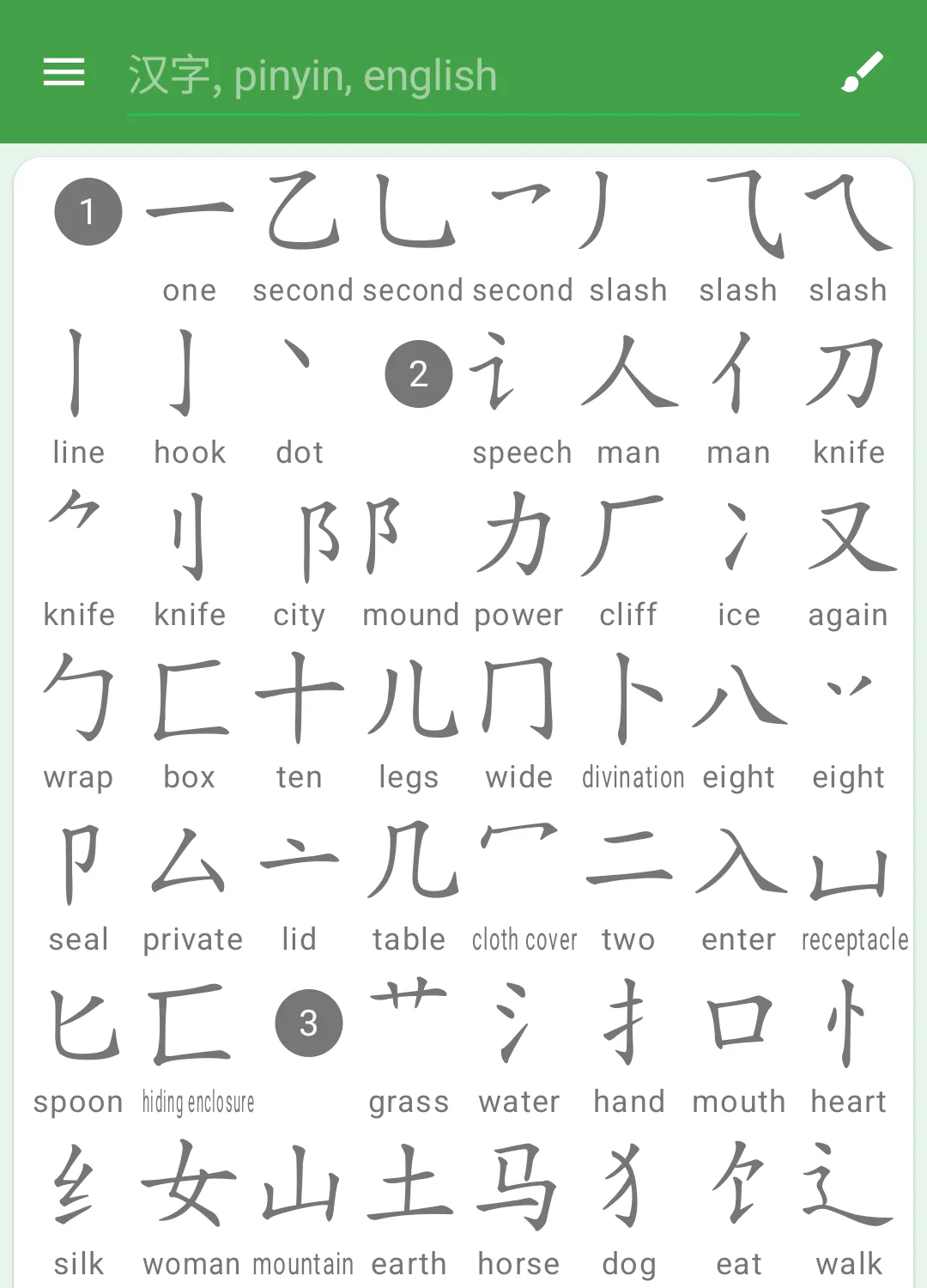
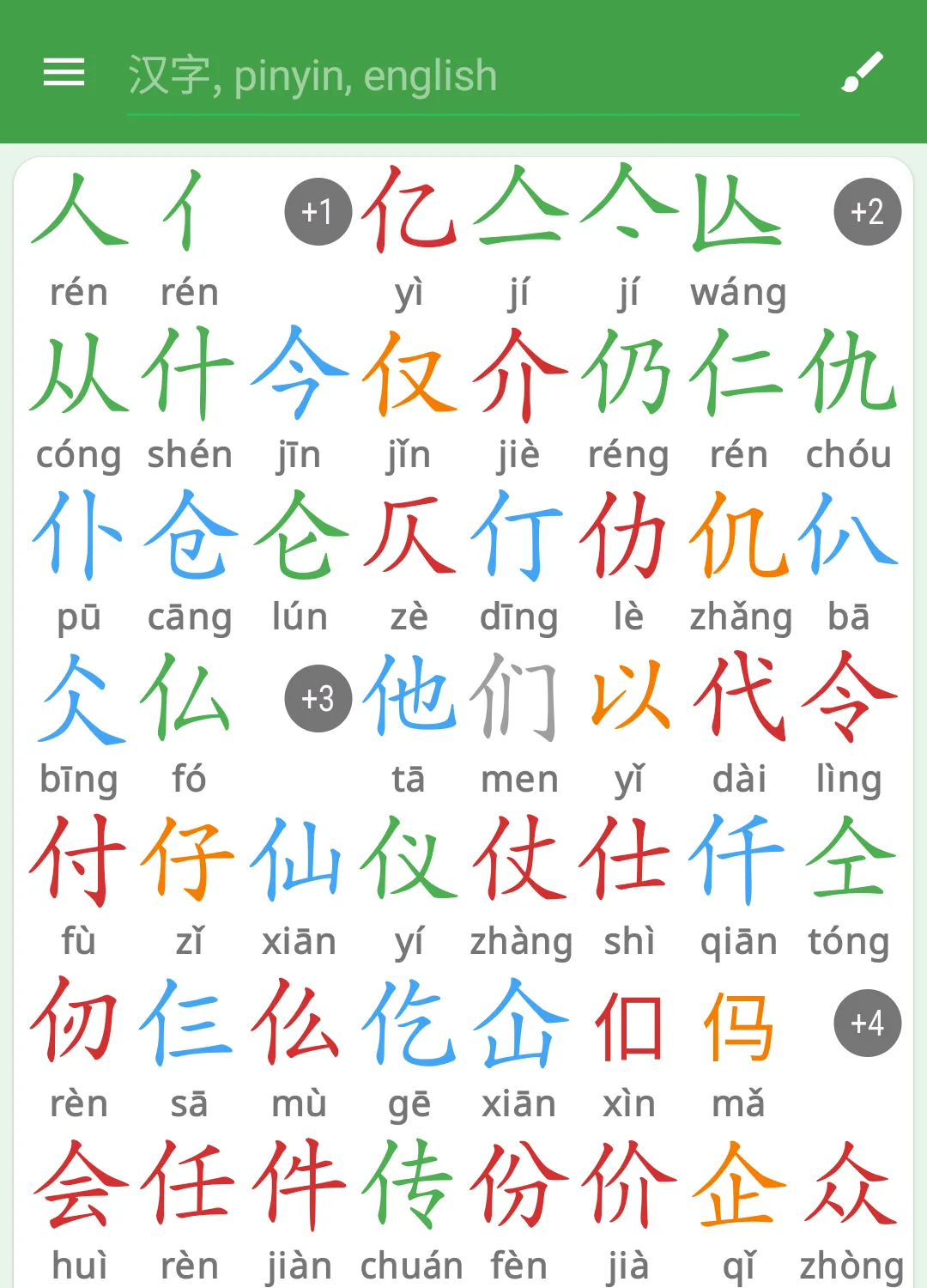
How it works
- Tap 部 in the search box.
- Pick a radical. They're grouped by stroke count, and within each group the most common come first, so 亻, 氵, 扌 and 口 are never far away.
- Count the rest. The characters with that radical are grouped by how many strokes are left once you take the radical away. Each shows its reading, so you can often spot the one you want by sound as well as shape.
- Tap the character. It goes into the search box, and Hanping looks it up. Pick a second one, or type or draw the rest, to look up a whole word.
Then see how the character is built
Every character's page breaks it into its parts and shows which one is the radical, which hints at the meaning, and which one gives the sound, so 妈 is 女 "woman" for the meaning and 马 mǎ for the sound. See Hanzi Decomposition. The stroke animation plays as the page opens, so you also see how to write it.
Cantonese radicals
The radical picker works the same way in Hanping Cantonese, showing each character's Jyutping or Yale reading instead of pinyin, and it covers traditional characters as well as simplified.
Other ways in
- Draw it. The handwriting pad recognizes over 12,000 characters and forgives stroke-order mistakes.
- Photograph it. The Image Reader reads the Chinese in a photo or screenshot.
- Say it, if you can: voice search understands Mandarin and Cantonese.
Radicals still matter when those fail: a character in an unusual font, a rare one the handwriting pad doesn't guess, or one you only half remember.
Hanping Chinese Dictionary is free on both stores.


Choosing a dictionary app? See Hanping vs Pleco.