The headline feature of this release is Cloud Backup, in both apps. Hanping Chinese Dictionary also gets Taiwan pronunciations and the TOCFL word list.
Cloud Backup
Your starred words, custom tags, notes and search history are the part of Hanping that’s yours: the dictionary you can always re-download, but nobody else has a copy of your vocabulary. Cloud Backup stores it online with your Hanping account, which does two jobs: it’s there if a device is lost or wiped, and it’s how you move your vocabulary onto your next phone. It’s free.
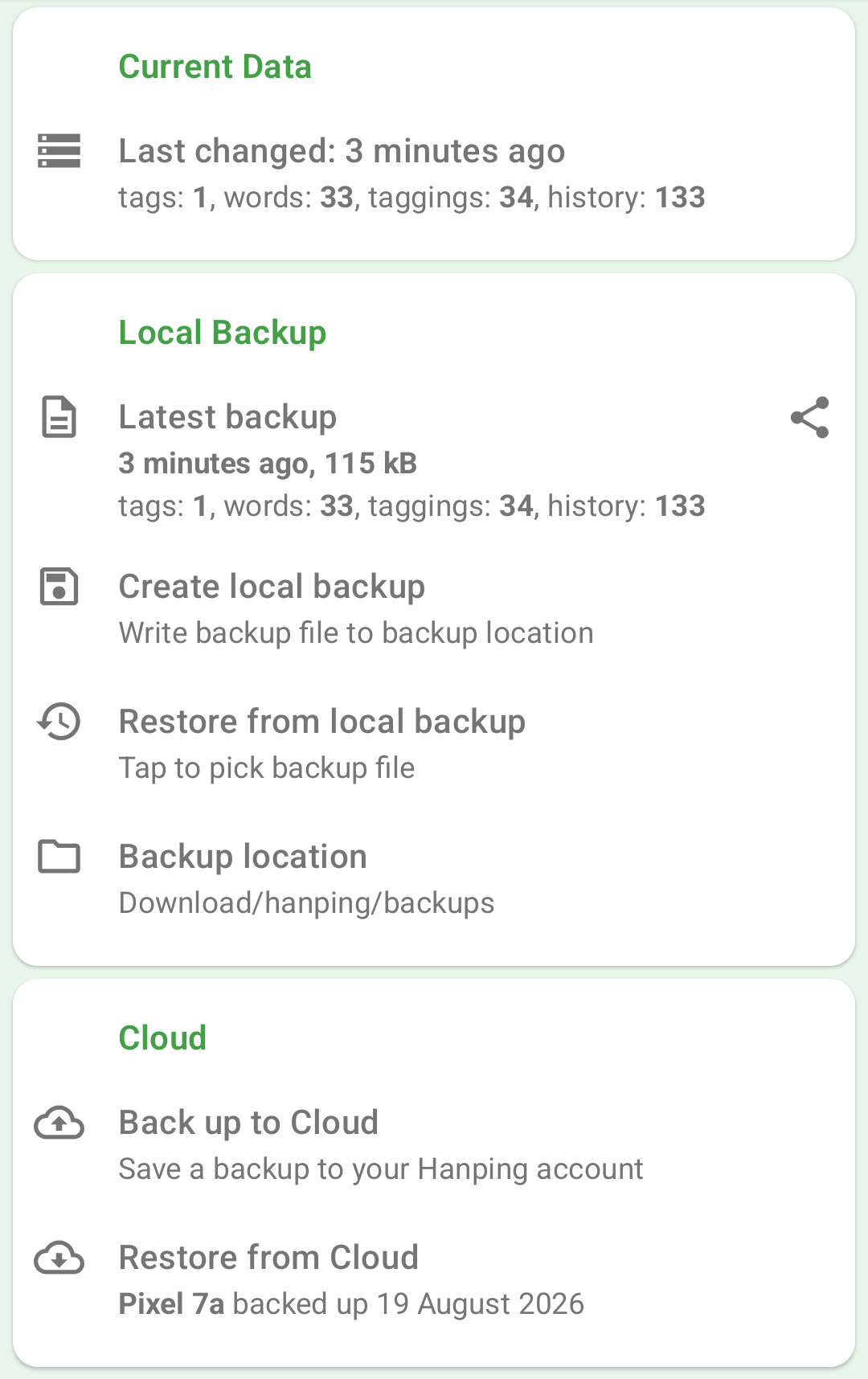
Go to Settings / Backup/Restore, sign in to your Hanping account from the Cloud section, and tap Back up to Cloud. Nothing is uploaded until you tap that button — backing up is something you do, not something that happens behind your back. The Cloud section shows when you last backed up, and the app reminds you if your recent changes haven’t been saved anywhere off-device for a while.
Moving to a new phone is those same two steps, one on each device: back up on the old phone, then install the app on the new one, sign in to the same account, and tap Restore from Cloud.
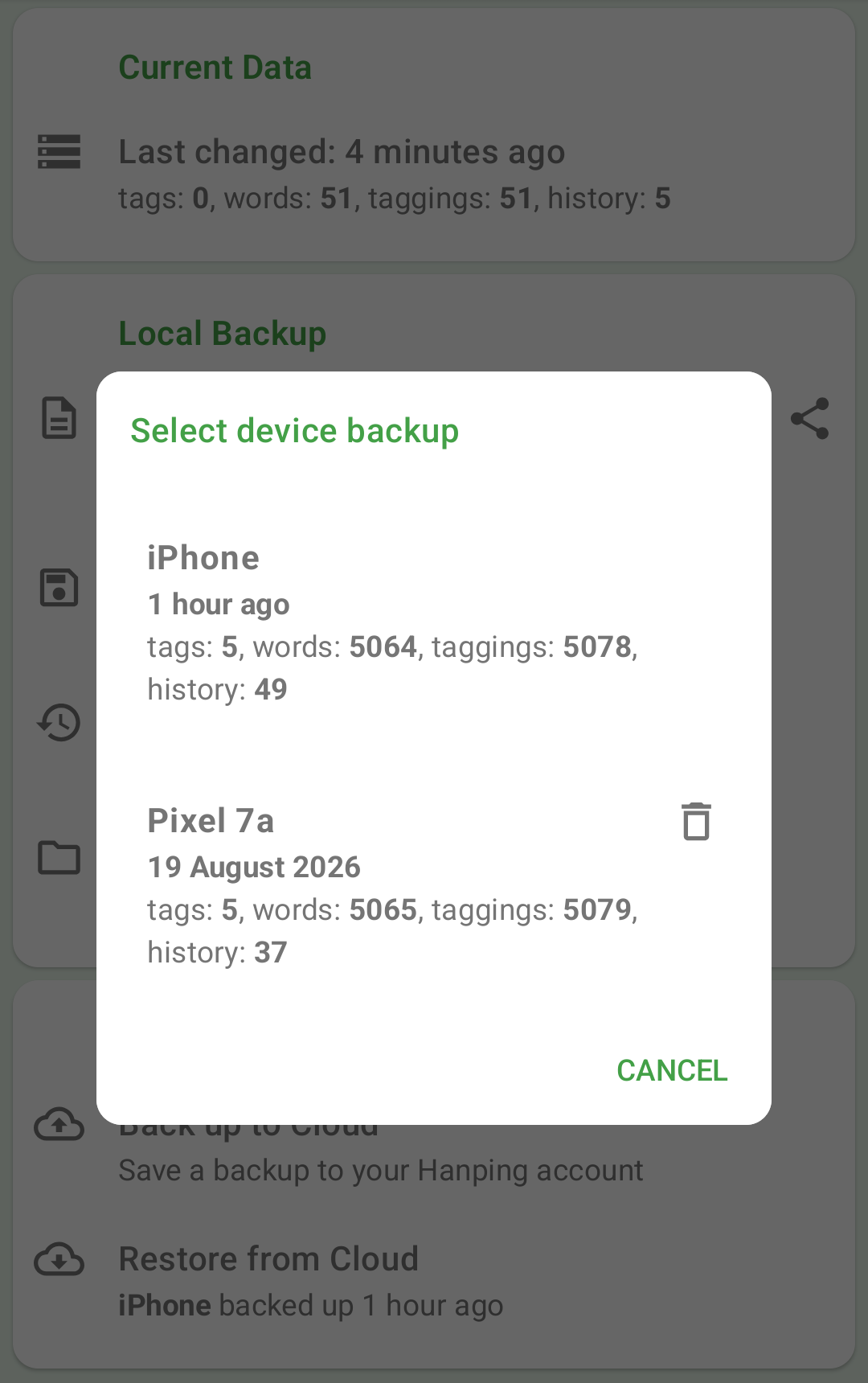
Each device keeps its own backup slot, so backing up your phone never overwrites your tablet’s copy — and when you restore, you pick which one you want by device name, date and word/tag counts. Restoring replaces what’s currently on the device, so the app always shows you what you’d be replacing first, and restarts afterwards.
A few things worth knowing:
- Your backup is encrypted before it’s stored, using a key private to your account
- An account can hold backups from up to 3 devices per app
- Each app is separate — the Mandarin and Cantonese apps have their own vocabulary, and back up and restore independently
- Backup files on your device carry on working exactly as before, unchanged
Full details are in the Cloud Backup docs.
Taiwan Pronunciation (Hanping Chinese Dictionary only)
Plenty of common words are simply read differently in Taiwan: 垃圾 is lèsè rather than lājī, 星期 is xīngqí, 危險 is wéixiǎn, 說服 is shuìfú. Hanping now knows about 5,800 of these.
The phonetic under a headword is always standard Mandarin, as before. Where Taiwan differs, a TW: line now appears directly beneath it, with only the syllables that actually moved shown in bold:
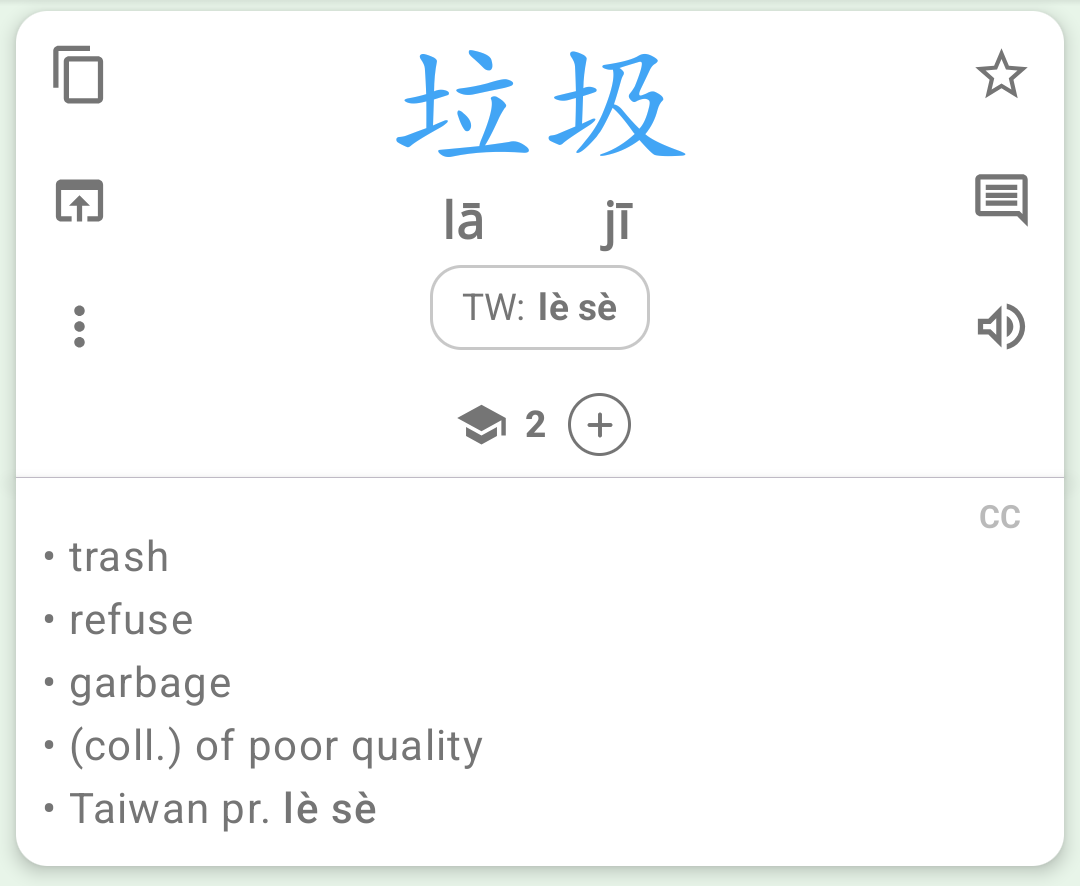
Sitting directly under the standard phonetic means the two compare like for like. Tap the TW line and you get that phonetic as a word in its own right — you can star it, add a note, or play it, just like any other headword. Example sentences work the same way.
Summary cards have no room for a second line, so a word’s card carries the phonetic as a prefix instead — and an export of that card says the same thing. This is kept for words where Taiwan Mandarin differs by more than a neutral tone, so the most common vocabulary of all doesn’t end up with a prefix on every card:
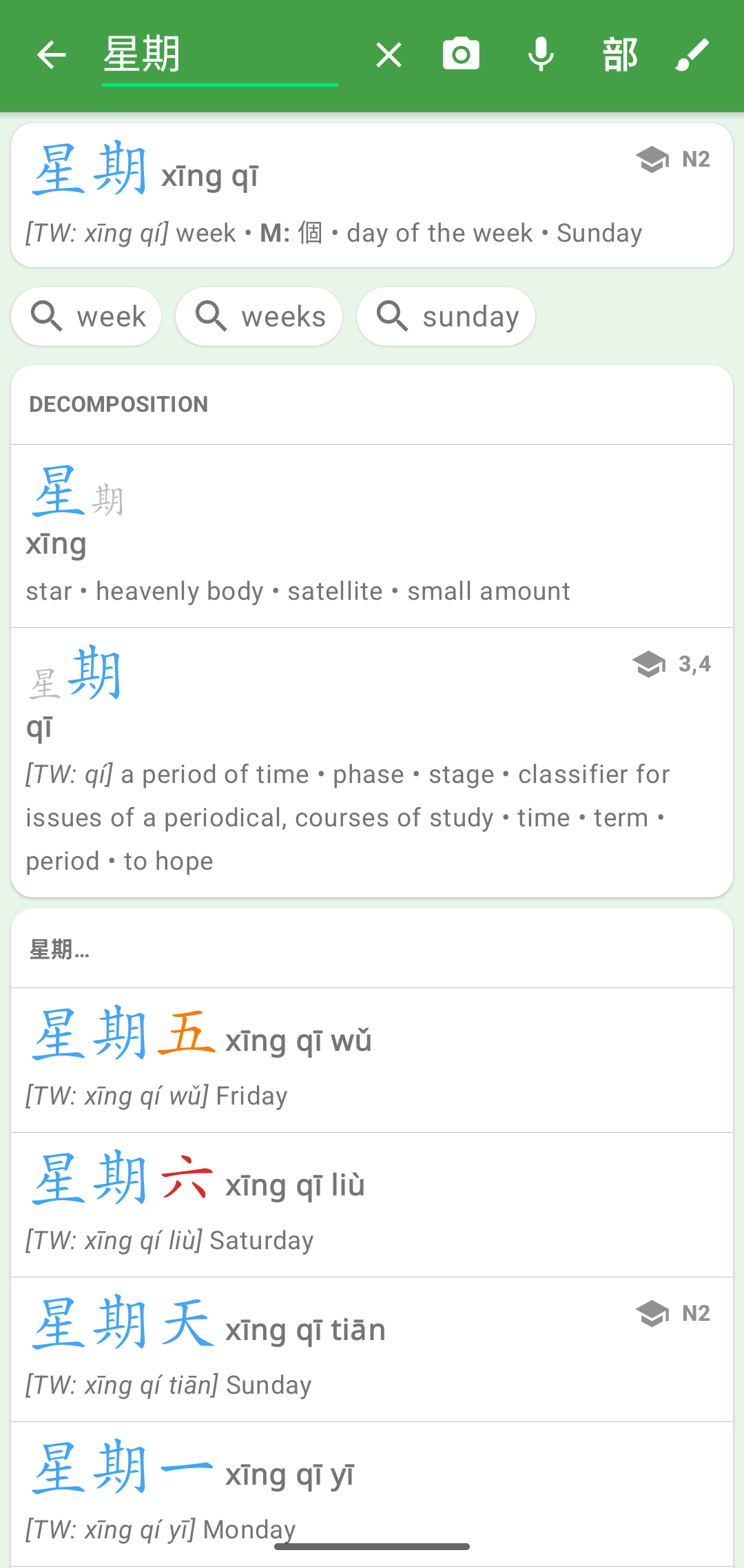
Sentence cards don’t carry the prefix — open the sentence to see its Taiwan Mandarin.
The audio follows too. Tap the speaker on a divergent word and the human voice reads the Taiwan pronunciation, with a “Playing Taiwan Mandarin” note underneath so you always know when what you’re hearing departs from what’s written on screen. The system voice asks your device for a Taiwan Mandarin voice where it has one, so both taps give you Taiwan Mandarin on a device that supports it. Example sentences are included: hearing 垃圾 as lājī in a sentence, right after hearing lèsè on the word page, was exactly the sort of thing this feature exists to stop.
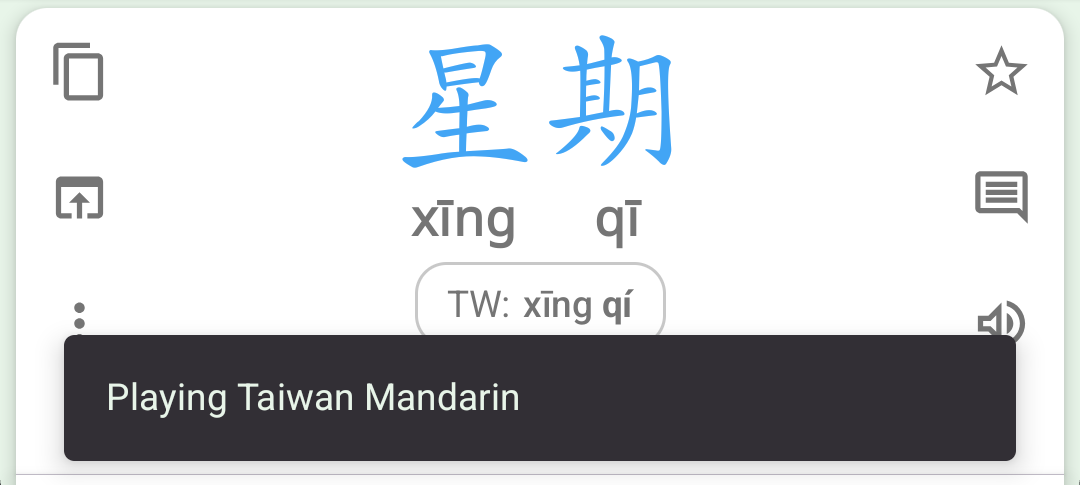
Taiwan Mandarin appears automatically whenever you’re reading traditional hanzi — no new setting to find. Set your script in Settings / Chinese Settings as usual.
TOCFL Vocabulary (Hanping Chinese Dictionary only)
TOCFL is Taiwan’s official Chinese proficiency exam, and until now Hanping only knew about HSK and YCT. This release adds the complete 華語八千詞 (8,000 Chinese Words) list published by SC-TOP — the 2024 revision, around 7,500 words, covering bands Novice 1 and 2 and Levels 1 to 5.
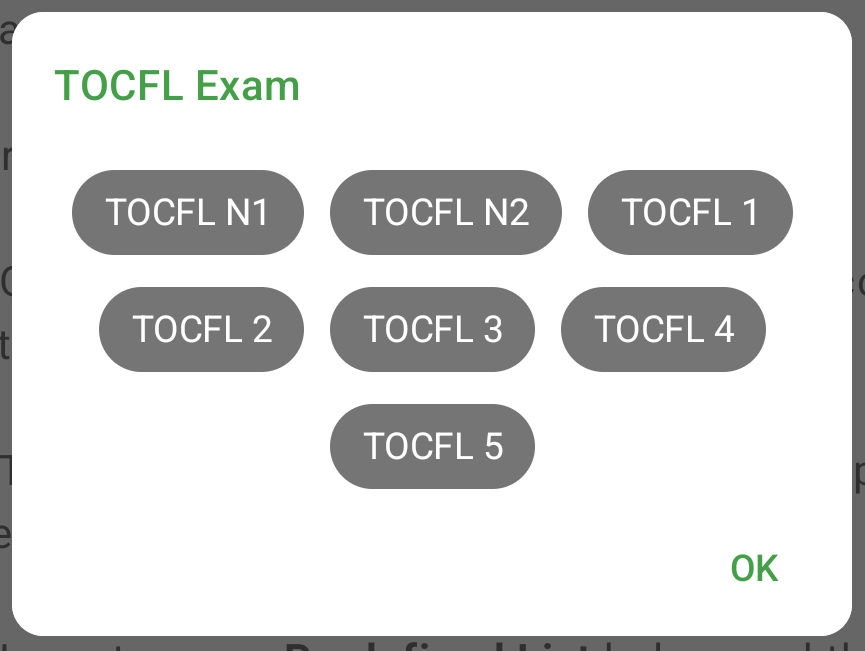
You get two lists, exactly as HSK does: TOCFL Exam for the words themselves, and TOCFL Characters for the individual characters, including those that only ever appear inside longer TOCFL words. Pick a band to browse it:
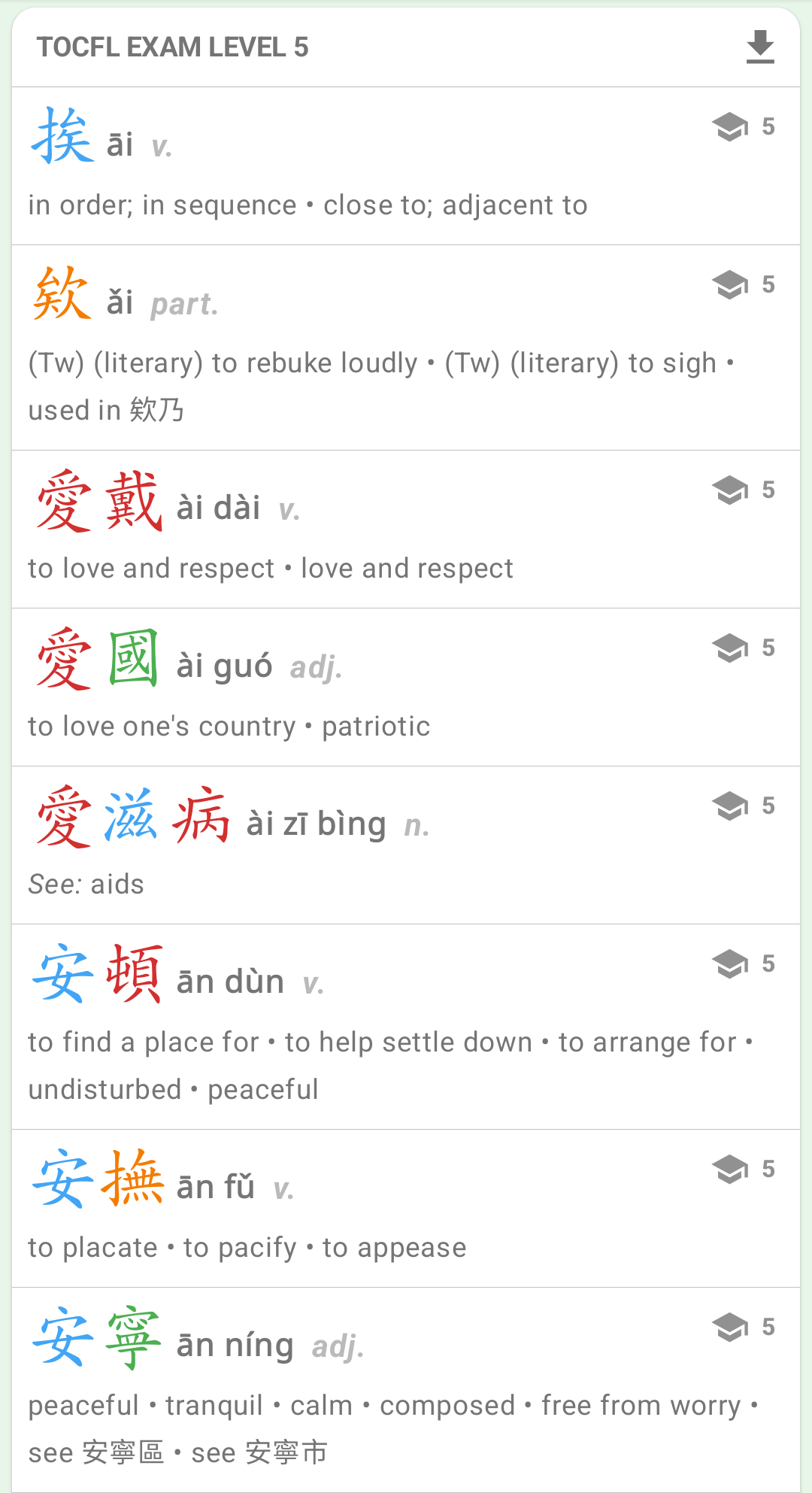
Set TOCFL as your preferred exam in Settings / Chinese Settings and every word page will show its TOCFL level, the same way it shows an HSK level today.
The two Taiwan features are designed to be used together: a TOCFL learner reading traditional hanzi gets the exam’s word list and its phonetics at the same time.
Better Example Sentences
Both apps get a large pass over their example sentence translations. In Hanping Cantonese Dictionary, 5,197 of the example sentences provided by words.hk now have clearer, more idiomatic English, and wrong hanzi has been fixed in 10 sentences and jyutping in 9. In Hanping Chinese Dictionary, 2,172 sentence translations were corrected, along with hanzi in 32 sentences and 148 pinyin syllables.
Mandarin sentence pinyin is also better grouped into words, following the official orthography rules: 683 word boundaries across 646 sentences, plus a sentence-final 了 split from the word before it in another 338.
If you had starred a sentence whose phonetic has since been corrected, the app now offers the corrected sentence under See also, so a starred sentence never becomes a dead end.
The AI voice packs have been regenerated so the audio matches the corrected sentences — update them from the Add-ons screen.
Other improvements in this release:
- Better ordering of search results where a character has several phonetics
- Updated and re-ranked the frequent chengyu list
- More accurate example sentence pinyin (Taiwan Mandarin, erhua, tones)
- Better choice of which example sentence to show, and a word’s only example sentence is never held back
- The system voice now follows your own script and phonetic settings rather than guessing from the device locale
- Bug fixes and stability improvements
Get Hanping Chinese Dictionary on Google Play Store and Apple App Store
Get Hanping Cantonese Dictionary on Google Play Store and Apple App Store
Please contact us with your feedback.