The headline feature of this release is the Document Reader, in both apps.
Document Reader
Paste some Chinese text, or open a .txt, Word (.docx) or .epub file, and the Document Reader shows it as plain paragraphs sized for your screen. Find it in the navigation drawer.
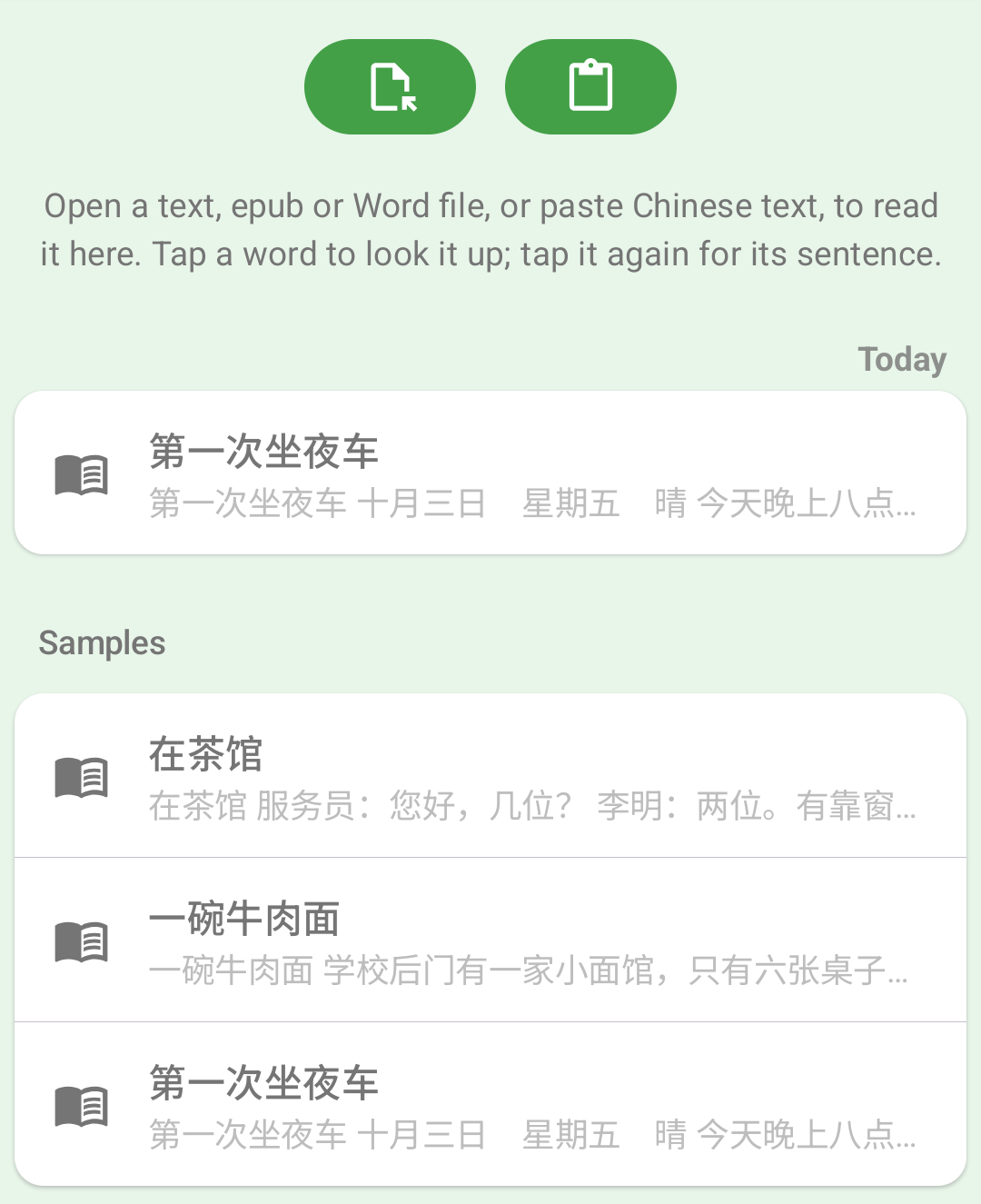
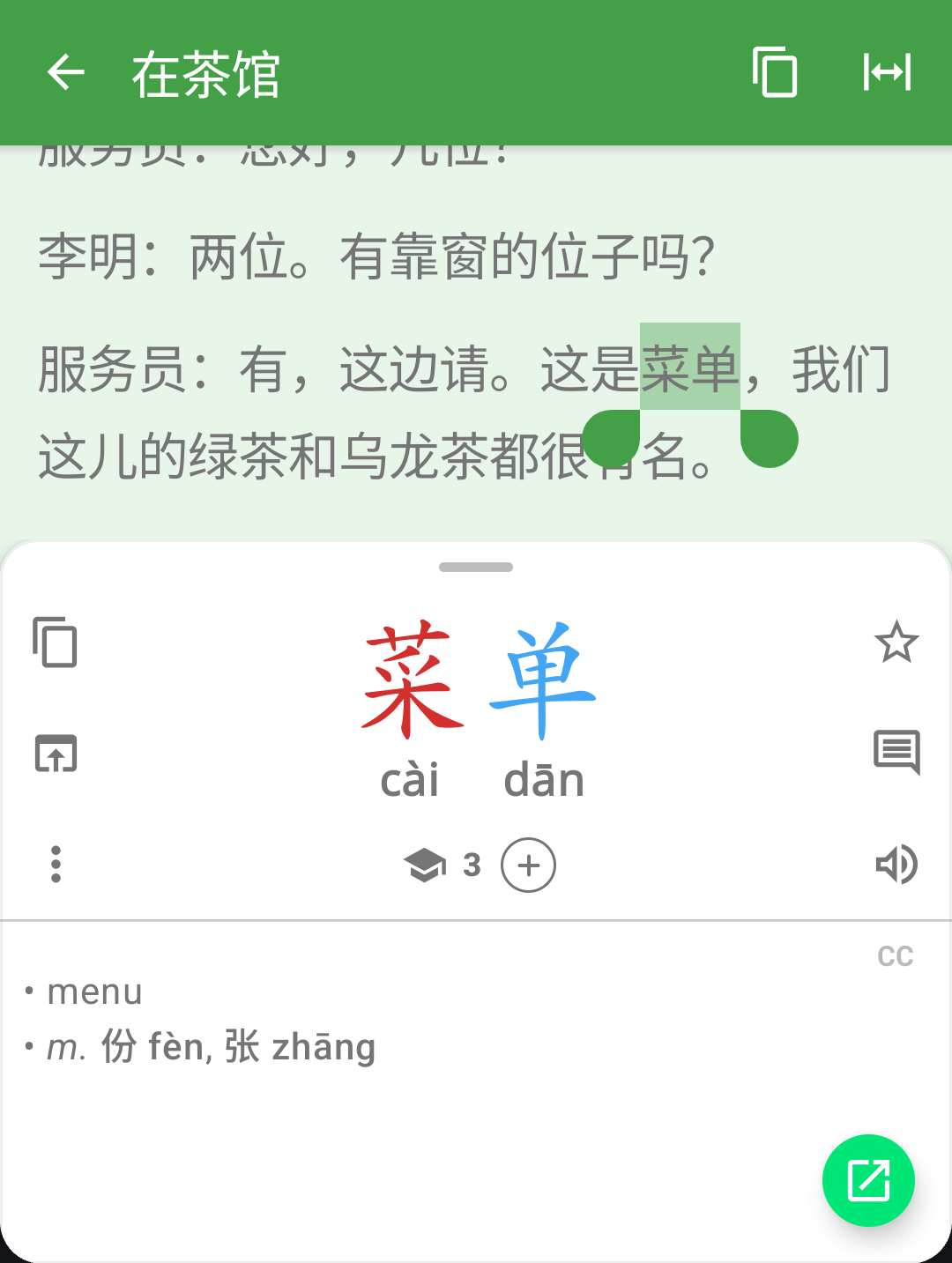
Tap any word to look it up. The entry opens in a panel below the text, and dragging the panel up shows the words that make up what you selected. Tap the word again to select its whole sentence, or use the arrows in the panel’s bar to step through the text a sentence at a time.
Your documents are saved, so you can come back to them later, and they’re included in your backups. Text too long to look up in the search box now offers to open in the Document Reader instead. The Document Reader is free.
Translate Button
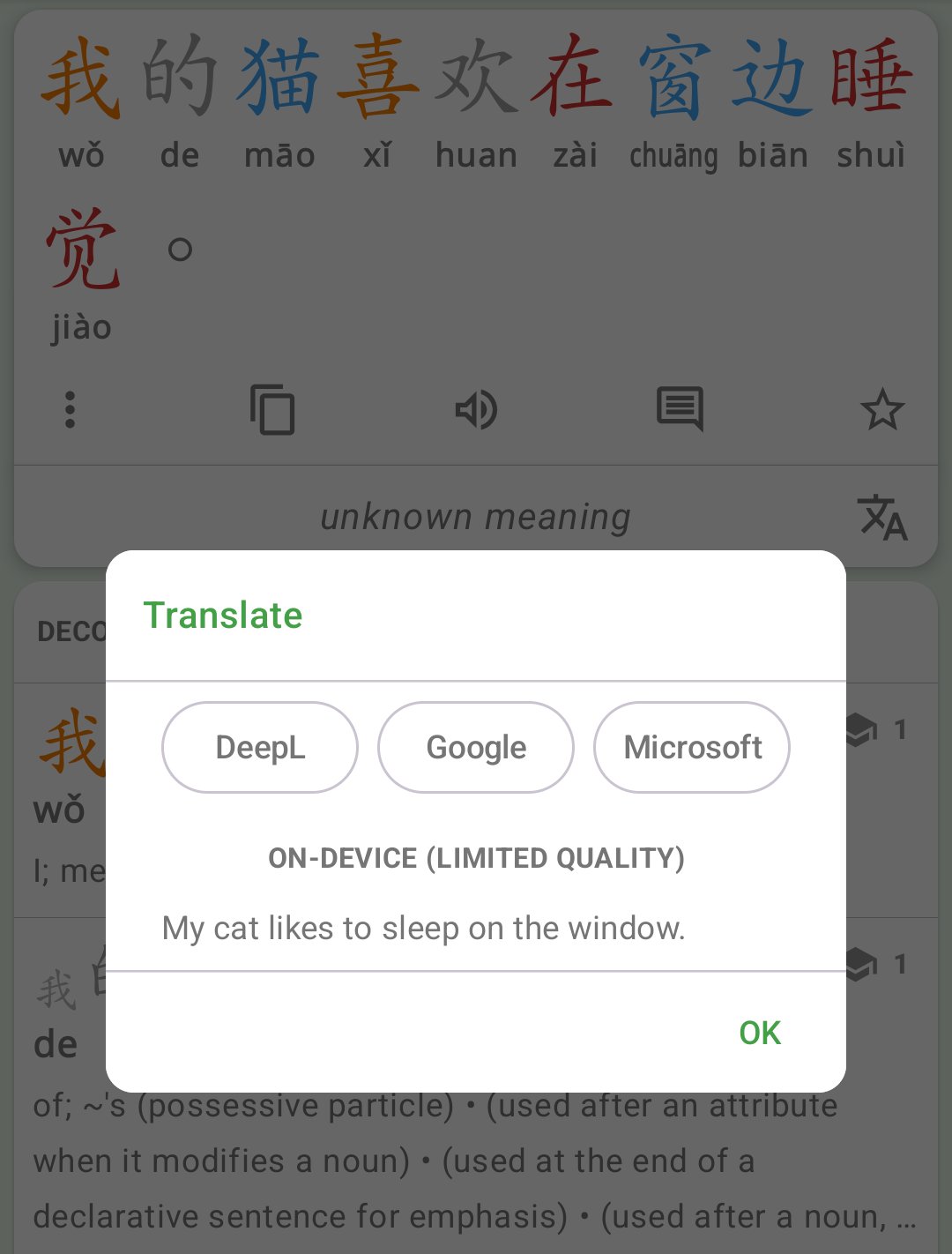
The Translate button now opens a list of every translator available to you, so you can pick one rather than being sent straight to a single app. It includes an optional on-device translator, which works offline once downloaded.
You can also choose a Default Translator in Settings / Chinese Settings. The Translate button then opens it directly, and a long press still offers every translator.
Other improvements in this release:
- System Voice Settings (Android) - choose the text-to-speech engine and its Chinese voice
- Bug fixes and stability improvements
Get Hanping Chinese Dictionary on Google Play Store and Apple App Store
Get Hanping Cantonese Dictionary on Google Play Store and Apple App Store
Please contact us with your feedback.