This release replaces the side menu with bottom navigation: four tabs, Search, Vocab, Reader and More, always one tap away.
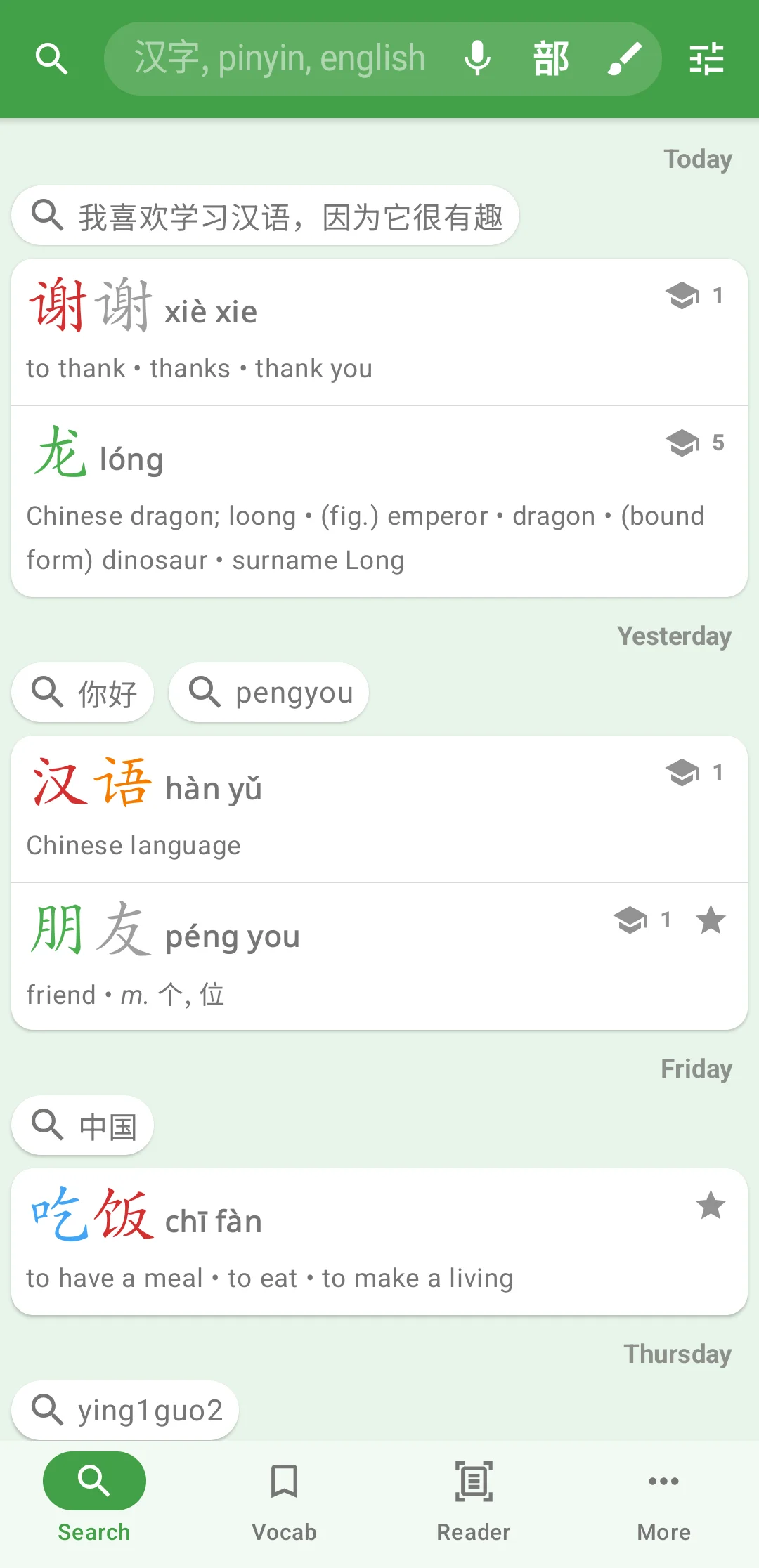
Search, Vocab and More remember where you left them, so you can look up a word, check a vocab list and come back to your search as it was. Back from any tab returns to Search. On a tablet, the tabs sit down the side instead.
Vocab
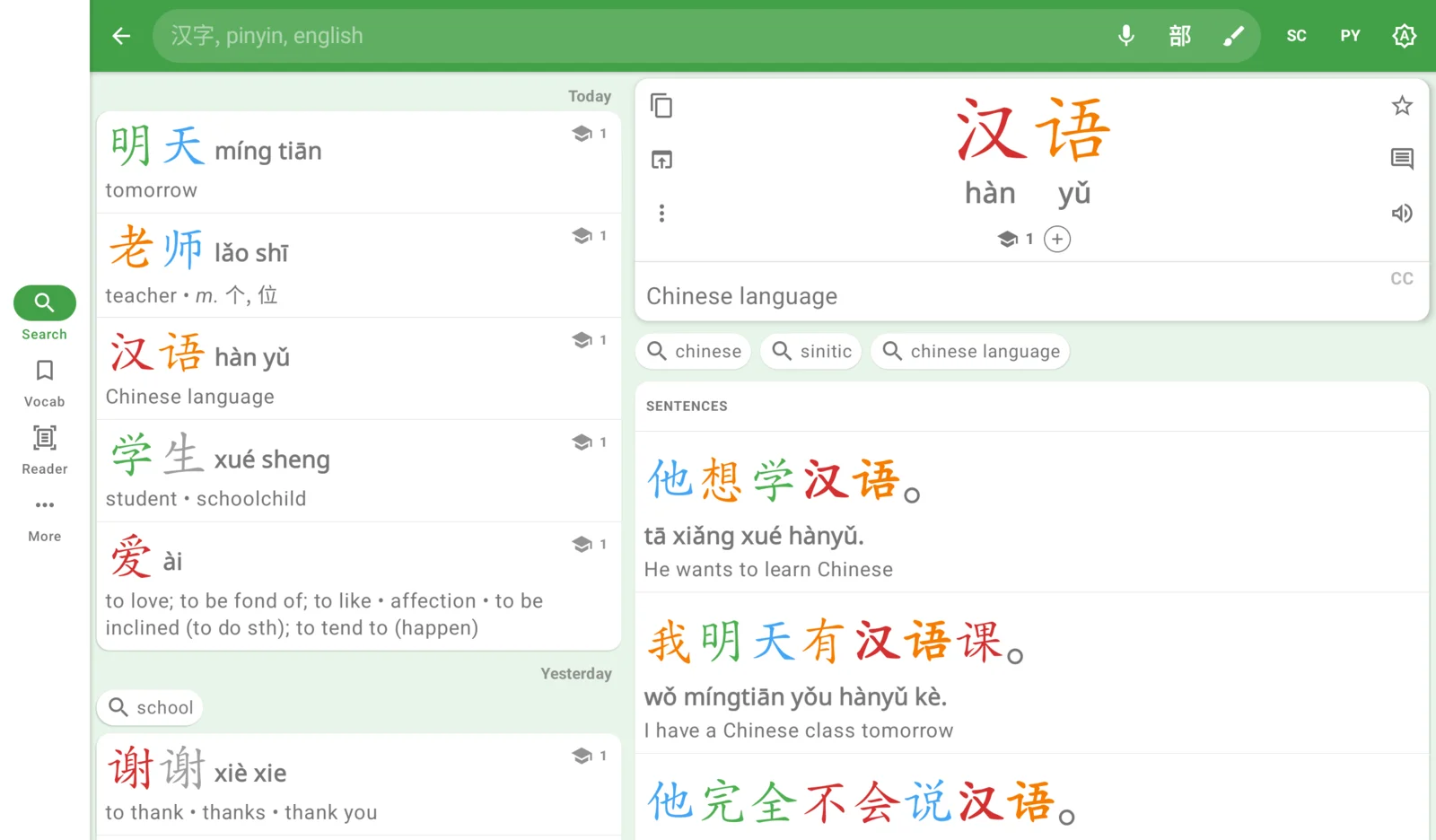
The Vocab tab (formerly Tags) puts your starred words, notes and imports at the top, your own tags beneath them, and then the Built-in Lists as tiles: Exams, Top Lists, Topics and Tone Pairs.
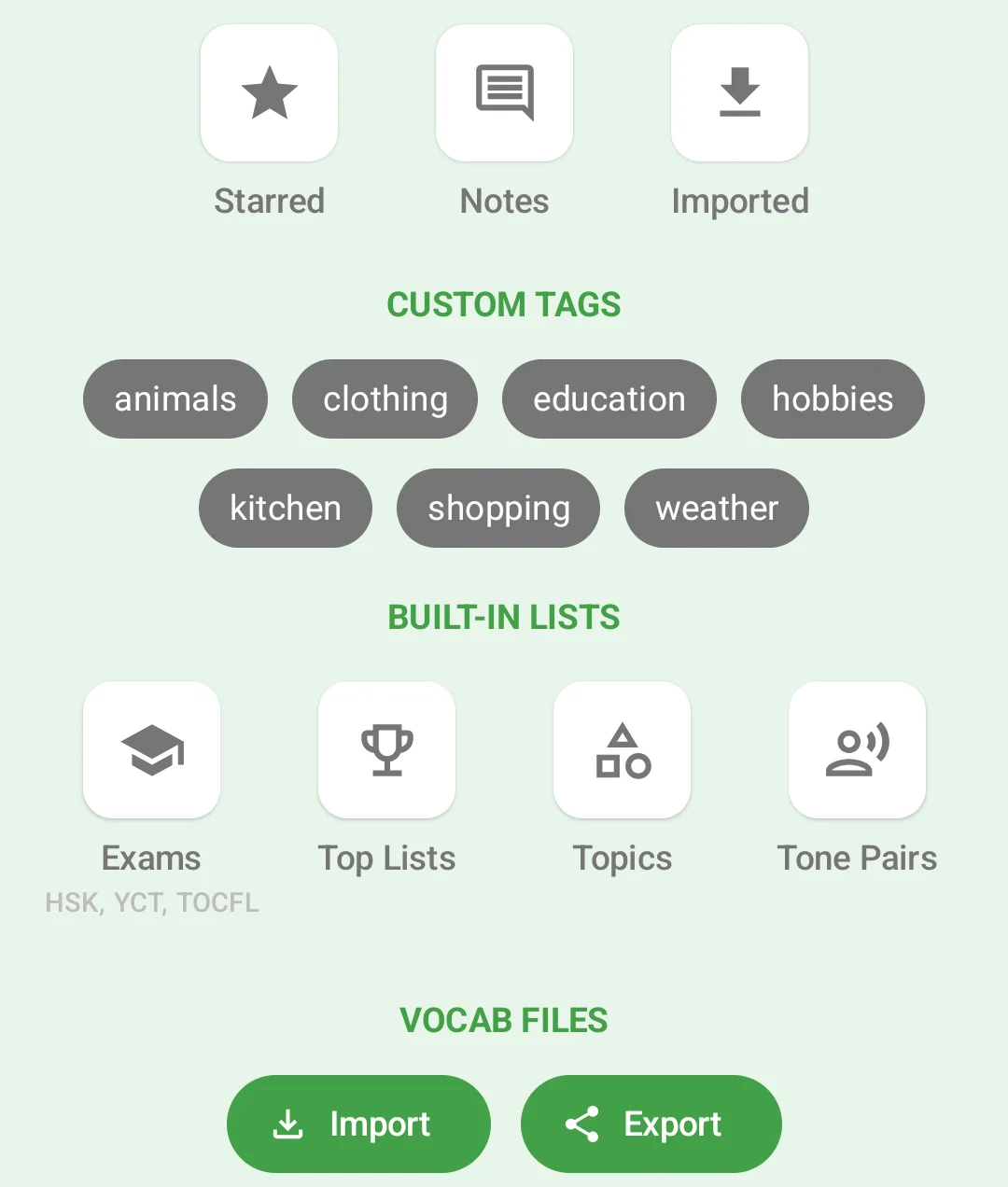
Exams opens one screen for HSK, YCT and TOCFL, in every version of each. On a tablet, or a phone in landscape, the levels stay beside the list you open, so you can step through HSK 1, 2, 3 in turn.
Reader
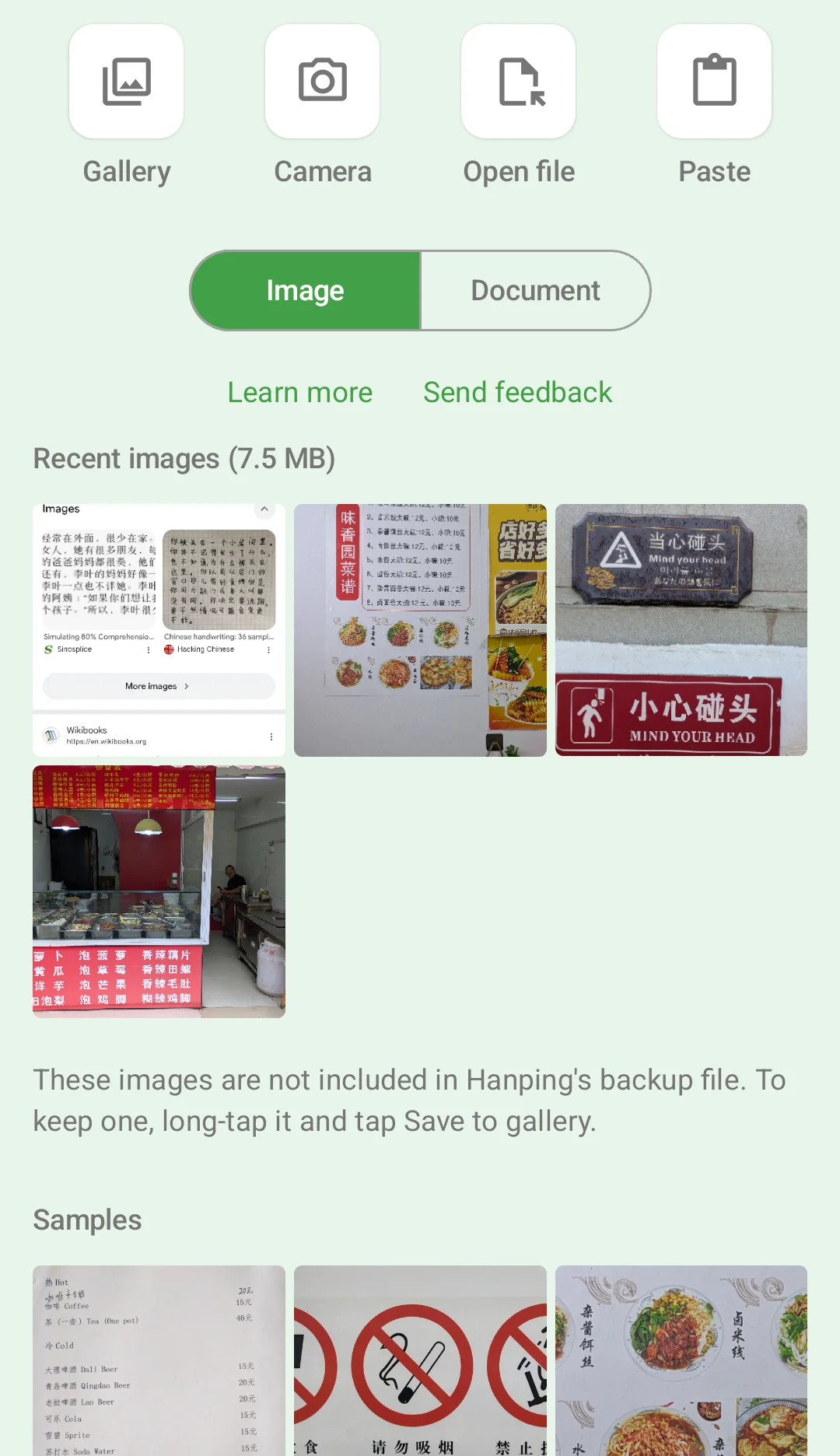
The Reader tab holds the Image Reader and the Document Reader. Start from the Gallery, the Camera, a file (Open file) or the clipboard (Paste). The tab opens on Image or Document, whichever you read in last, even if you opened it from somewhere else, such as a share or a long paste into the search box.
On Android, if you open a screenshot, Hanping suggests the Read Screen tile in Quick Settings, which reads any app’s screen directly, without the screenshot.
More
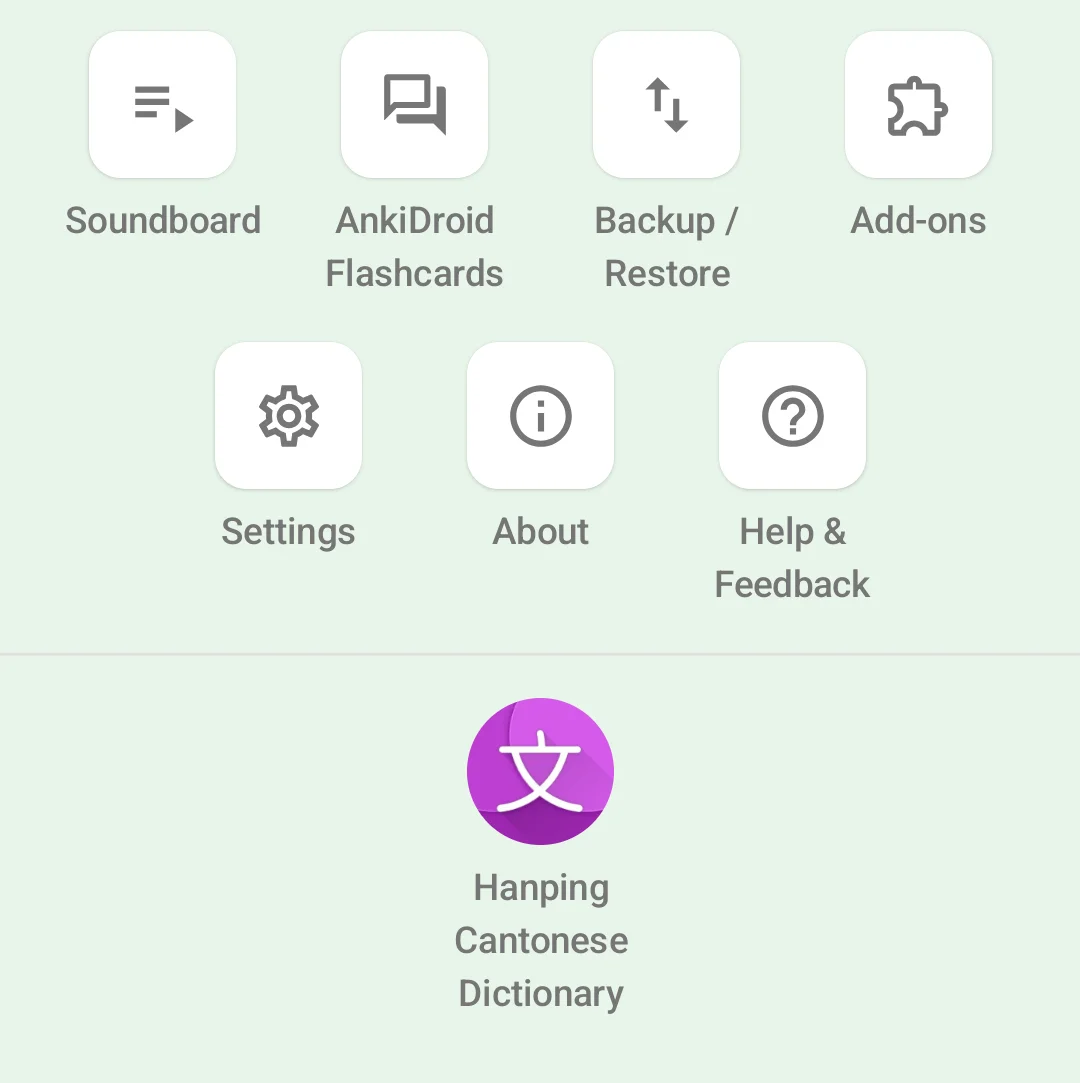
Everything else from the side menu is now a tile on the More tab: the Soundboard, AnkiDroid (Android), Backup / Restore, Add-ons, Settings, About and Help & Feedback.
Look up online
Links is now Look up online. Filter the sites by type (dictionaries, translation, sentences, audio, images, strokes and more), and tap the pin beside a site to keep it under the pin filter. Badges show the sites that only cover simplified or traditional characters, or only Mandarin or Cantonese.
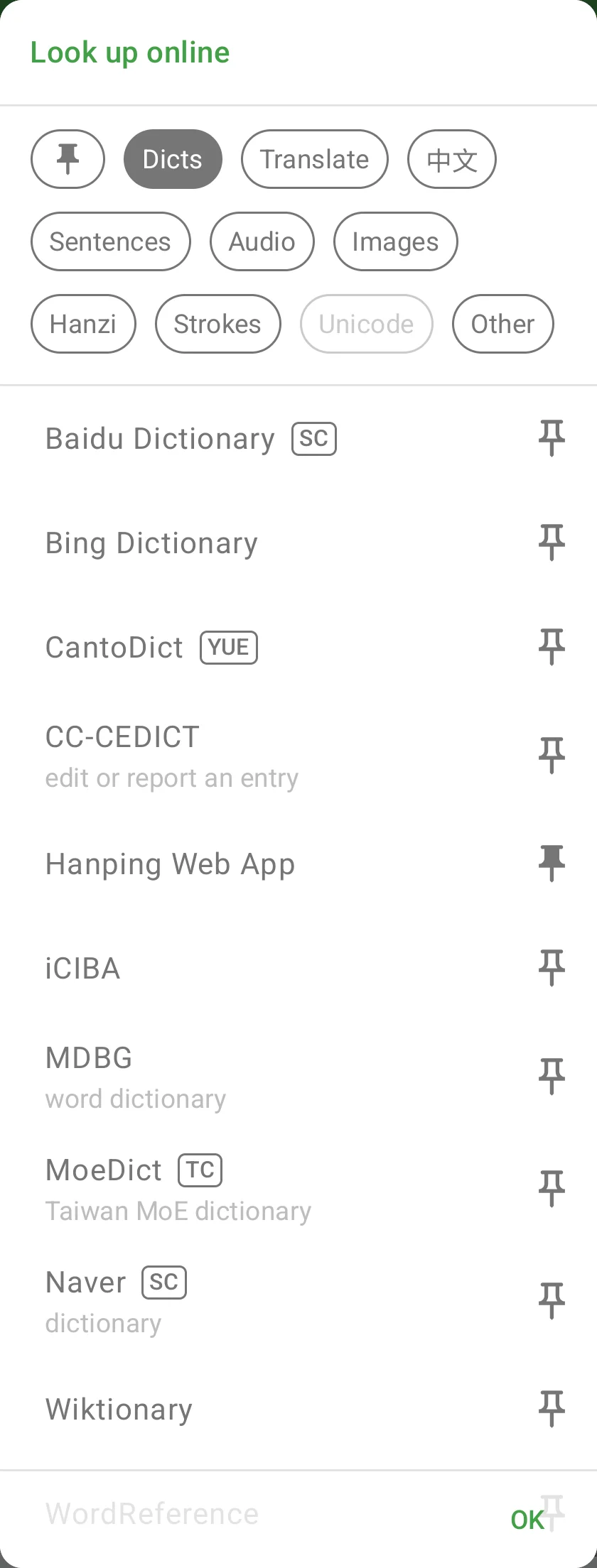
New sites: words.hk, MoeDict, Zdic, DeepL and Dong Chinese. I’ve also removed the links that no longer worked and fixed the ones whose sites had moved.
In the Cantonese app, the dark theme’s accent color is lighter and easier to read.
Get Hanping Chinese Dictionary on Google Play Store and Apple App Store
Get Hanping Cantonese Dictionary on Google Play Store and Apple App Store
I read every message, so please get in touch with your feedback.